What Is IPTV and How Does It Work in the USA?
Key Takeaways
- What is IPTV USA: IPTV streams television content over your home internet connection, bypassing traditional cable and satellite infrastructure entirely.
- The average American household pays $83/month for cable; IPTV services typically cost $10–$30/month for similar or larger channel lineups.
- IPTV supports live TV, video-on-demand (VOD), and time-shifted content (catch-up TV) in a single subscription.
- You need a reliable internet connection of at least 25 Mbps for HD streaming and 50+ Mbps for 4K.
- IPTV is legal when using licensed providers — always verify your provider's licensing status before subscribing.
Understanding what is IPTV USA means understanding how Americans are reshaping the way they watch television. Internet Protocol Television — IPTV — is a method of delivering TV channels and video content over an internet connection rather than through a coaxial cable or satellite dish. In the United States, millions of households have already made the switch, cutting cable bills that averaged $84.88/month according to a 2024 Leichtman Research Group study and replacing them with flexible, lower-cost internet-based alternatives.
This guide breaks down exactly what IPTV is, how it works for American consumers, and how it stacks up against cable and satellite — the two TV delivery systems that have dominated US living rooms for decades.
What Is IPTV? A Plain-Language Definition
IPTV stands for Internet Protocol Television. The "Internet Protocol" part refers to the same foundational technology that powers your web browsing, email, and video calls — the system that packages data into small chunks and routes them across networks to their destination.
With traditional cable TV, your provider runs a physical coaxial cable to your house and pushes a continuous stream of all channels simultaneously. You tune your cable box to a specific channel, and it decodes that part of the signal. With satellite, a dish on your roof receives broadcast signals from orbiting satellites. Both systems are one-directional: the provider pushes content, and you receive it whether you watch it or not.
IPTV works differently. Instead of receiving a continuous broadcast of all channels, your device sends a request for a specific channel or piece of content, and the IPTV server delivers only that content to you over the internet. This is called unicast delivery for on-demand content, versus the multicast delivery used for live channels (where one stream serves many viewers simultaneously).
The Three Types of IPTV Content
Modern IPTV services offer three distinct content delivery modes:
- Live IPTV — Real-time broadcast of channels (sports, news, local TV) delivered with minimal delay. Latency is typically 5–15 seconds behind live broadcast.
- Video on Demand (VOD) — A library of movies, TV shows, and series you can watch anytime. Think Netflix-style content bundled with your IPTV subscription.
- Time-Shifted TV — The ability to pause, rewind, or catch up on programming that already aired. Also called "catch-up TV," this lets you watch last night's game on your own schedule.
How IPTV Works: The Technical Flow
When you press "play" on an IPTV channel, here's what happens behind the scenes:
- Your device sends a request to the IPTV provider's middleware server, asking for Channel X.
- The middleware authenticates your subscription and directs your device to the correct content server.
- The content server streams the video as data packets over the internet to your home router.
- Your router delivers the data to your streaming device (Fire Stick, Android box, smart TV, etc.).
- Your IPTV app decodes and displays the video on your screen.
The whole handshake happens in 1–3 seconds. For live channels, the stream continues as a loop; for VOD, your device buffers slightly ahead to prevent interruptions.
Most IPTV services deliver content in M3U playlist format or through an Xtream Codes API, which organizes channels, VOD, and catch-up content into categories your app can display as an electronic program guide (EPG).
What You Need to Watch IPTV in the USA
Getting started with IPTV in America requires just four things:
1. A Broadband Internet Connection
The minimum recommended speeds for IPTV:
- SD (Standard Definition): 5 Mbps
- HD (720p/1080p): 15–25 Mbps
- 4K Ultra HD: 50+ Mbps
- Multiple simultaneous streams: Multiply the above by the number of streams
The average US home internet connection speed was 242 Mbps download as of Q3 2024 (Ookla Speedtest Global Index), meaning most American households are technically capable of running multiple IPTV streams in 4K without issues.
2. A Compatible Device
IPTV works on virtually any internet-connected device:
- Amazon Fire TV Stick / Fire TV Cube
- Roku devices (via sideloading or dedicated IPTV apps)
- Android TV boxes (NVIDIA SHIELD, Formuler Z8, Buzz TV)
- Smart TVs (Samsung, LG, Sony with Smart TV apps)
- iOS and Android smartphones/tablets
- Windows and Mac computers (using VLC, Kodi, or dedicated clients)
- MAG boxes (dedicated IPTV hardware)
3. An IPTV Subscription
An IPTV provider gives you access to their channel lineup and VOD library. Top-rated US-focused providers offer 10,000+ channels including US locals, premium sports packages, and international content for $10–$30/month. See our roundup of the top 5 IPTV providers in the USA for current recommendations.
4. An IPTV Application
Your device needs software to connect to the IPTV service:
- Smarters Pro (iOS, Android, Fire TV, Android TV)
- TiviMate (Android TV, Fire TV — widely considered the best EPG experience)
- GSE Smart IPTV (iOS, Android)
- VLC Media Player (PC, Mac, Linux)
- Kodi (with appropriate add-ons)
IPTV vs Cable vs Satellite: Full Comparison for US Consumers
This is the comparison most American cord-cutters need before making a decision. Here's how all three stack up across the metrics that matter most:
| Feature | Cable TV | Satellite TV | IPTV | |---|---|---|---| | Average Monthly Cost | $85–$120/mo | $65–$150/mo | $10–$30/mo | | Setup Cost | $0–$200 (equipment) | $99–$200 (dish install) | $0–$80 (streaming device) | | Contract Required | Usually 1–2 years | Usually 2 years | No contract (month-to-month) | | Number of Channels | 100–400 | 150–330 | 5,000–20,000+ | | 4K Content | Limited (few 4K channels) | Very limited | Yes (provider-dependent) | | VOD Library | Limited (On Demand varies) | Limited | Large (provider-dependent) | | DVR Capability | Yes (cloud or physical) | Yes (physical) | Yes (cloud DVR, provider-dependent) | | Internet Required | No | No | Yes | | Weather Reliability | High | Low (rain fade) | High (depends on internet) | | Multi-Device Streaming | Limited (1–2 TVs) | Limited (1–2 TVs) | Yes (2–5 streams typically) | | Portability | No | No | Yes (use anywhere) | | Setup Complexity | Low (tech included) | Low (tech included) | Low–Medium (DIY) |
The True Cost of Cable vs IPTV for American Families
Let's run the real numbers. According to the Consumer Price Index for 2024, the average US household spending on cable/satellite TV was $1,128/year ($94/month). Add internet costs if bundled with cable, and many families pay $150–$200/month for a cable+internet bundle.
With IPTV, the math looks very different:
- IPTV subscription: $20/month = $240/year
- Streaming device (one-time): $50 (Amazon Fire Stick)
- Internet (standalone): $55–$80/month (separate from TV)
- Total year-one cost: ~$1,050 (including device)
- Year-two+ cost: ~$480–$960/year total (IPTV + internet)
The savings compound over time. A household switching from a $150/month cable+internet bundle to a $70/month internet-only plan plus $20/month IPTV saves $720/year — enough to buy a new 65-inch smart TV every 1–2 years.
IPTV and US Regulations: What You Need to Know
The legal landscape for IPTV in the USA is straightforward when you use licensed providers. The Federal Communications Commission (FCC) does not regulate IPTV as a broadcast service, meaning IPTV providers are not subject to the same licensing requirements as cable operators. However, the content they deliver is protected by copyright law.
Legal IPTV providers have licensing agreements with content owners (networks, studios, sports leagues) and pay royalties accordingly. Unlicensed IPTV providers distribute copyrighted content without authorization, which is illegal under US copyright law (17 U.S. Code § 501).
For a deeper dive into the legality question, read our guide on whether IPTV is legal in the USA.
Pro Tip: Always ask a potential IPTV provider which content they have licensing rights to. Legitimate providers are transparent about this. If a provider claims to offer every premium channel — NFL Sunday Ticket, HBO, Showtime — for $10/month with no explanation of licensing, that's a red flag.
How IPTV Compares to Streaming Services Like Netflix
It's worth distinguishing IPTV from the OTT (Over-the-Top) streaming services most Americans are familiar with. Netflix, Hulu, Disney+, and HBO Max are all OTT services — they deliver on-demand content over the internet, but they don't offer live TV channels or traditional broadcast programming.
IPTV fills the gap that OTT services leave:
- Live news and sports (the primary reason people keep cable)
- Local affiliate channels (ABC, NBC, CBS, FOX locals)
- International channels (Spanish, Portuguese, Hindi, Arabic, and hundreds more)
- Pay-per-view events without cable's markup
Many cord-cutters use IPTV alongside one or two OTT services, spending $30–$50/month total instead of $120/month for cable.
Setting Up IPTV in the USA: A Quick-Start Overview
The setup process takes most users under 30 minutes:
- Choose a provider — See top 5 IPTV providers in the USA for vetted recommendations.
- Subscribe and receive credentials — Your provider will email you an M3U URL or Xtream Codes login (host, username, password).
- Install an IPTV app — TiviMate or Smarters Pro are top choices for Fire TV.
- Enter your credentials — The app will load your channel list and EPG.
- Start watching — Browse channels, explore the VOD library, and set up favorites.
For a full installation walkthrough, see our guide on how to install IPTV on a Fire Stick.
IPTV vs Cable: Which Is Right for You?
Choose IPTV if:
- You want to cut your TV bill significantly
- You watch on multiple devices or outside the home
- You need access to international channels
- You're comfortable with basic tech setup
- You have a reliable home internet connection (25+ Mbps)
Stick with cable if:
- Your internet connection is unreliable or slow
- You want a fully managed, zero-setup experience
- You need guaranteed local channel reception during emergencies
- You're in an area where internet infrastructure is poor
The State of IPTV in the USA: 2026 Snapshot
IPTV adoption has grown substantially in the United States. According to S&P Global Market Intelligence, US pay-TV subscribers dropped below 60 million in 2024 for the first time since the 1990s, down from a peak of 105 million in 2012. Meanwhile, internet-delivered TV services — including IPTV — now serve an estimated 12–15 million US households.
The trend is unmistakable. Americans are voting with their wallets, and the math strongly favors IPTV for anyone with a reliable internet connection. For a deeper comparison of IPTV versus cable pricing and features specific to the US market, check out our detailed guide on IPTV vs cable TV USA.
Wrapping Up
IPTV represents the natural evolution of television for internet-connected households. It delivers more channels, more flexibility, and dramatically lower costs compared to traditional cable or satellite — all over the broadband connection you're already paying for. For American consumers tired of rising cable bills and locked-in contracts, IPTV offers a compelling alternative that works on any device, from anywhere.
Whether you're a sports fan who needs every live game, a family that watches content in multiple languages, or simply someone looking to cut the cord without sacrificing the TV experience, IPTV in the USA has matured to the point where it's a genuine, fully-featured replacement for traditional pay-TV.
Frequently Asked Questions
What is IPTV and how does it work in the USA?▾
IPTV (Internet Protocol Television) delivers TV content over your broadband internet connection instead of through cable or satellite infrastructure. In the USA, viewers subscribe to an IPTV service, receive a playlist of channels, and watch on any internet-connected device.
Do I need a special device to use IPTV in the USA?▾
No special device is required. You can watch IPTV on a Fire TV Stick, Roku, Android TV box, smart TV, smartphone, tablet, or computer. A minimum internet speed of 25 Mbps is recommended for HD streaming.
Is IPTV cheaper than cable TV in the USA?▾
Yes, in most cases. The average cable bill in the USA runs $85–$120 per month, while IPTV subscriptions typically cost $10–$30 per month for comparable or greater channel selections.
Ready to cut the cord?
Try IPTV US — 10,000+ Channels from $6.99/mo
HD & 4K streaming, sports, movies, and live TV on any device. No contracts. Free trial available.
View Plans & PricingDigital Entertainment Writer
James covers the business and consumer side of streaming — provider reviews, pricing comparisons, sports broadcasting rights, and the legal landscape of internet TV in the United States. With a background in media journalism, he brings clarity to complex topics like IPTV legality, sports streaming rights, and the ongoing shift away from traditional pay TV.
Comments
Comments are coming soon. Have a question? Contact us.
Related Articles
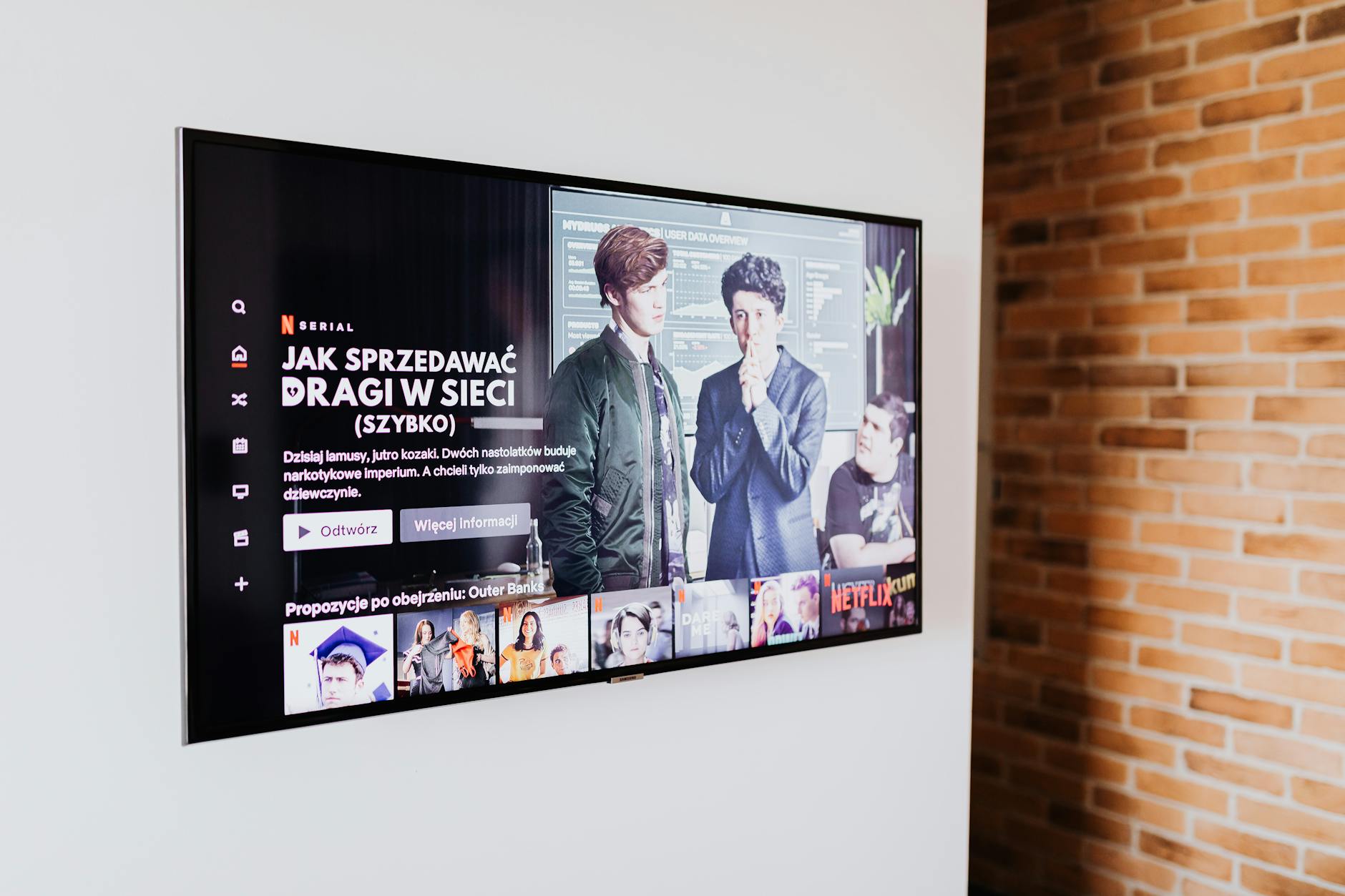
The Ultimate Streaming Guide for USA Cord Cutters (2026)
The complete streaming guide USA 2026 for cord cutters: compare IPTV, OTT, and free streaming options plus a savings calculator to cut your cable bill.
Smart IPTV: The Future of Home Entertainment in 2026
Smart IPTV home entertainment is redefining TV in 2026 — AI recommendations, voice control, smart TV integration, and IoT ecosystems creating the living room of the future.
How IPTV Is Enhancing Home Entertainment in the USA
Discover how IPTV home entertainment USA is being transformed — from 4K HDR home theater setups and multi-room streaming to smart home integration and whole-home IPTV.