How IPTV Is Enhancing Home Entertainment in the USA
Key Takeaways
- IPTV home entertainment USA is being transformed by 4K HDR streaming, multi-room setups, smart home integration, and content abundance that cable cannot match.
- A complete IPTV home theater setup — 4K HDR TV + NVIDIA SHIELD or Apple TV 4K + quality IPTV subscription — costs less than one year of cable fees.
- Multi-room IPTV requires no additional subscription cost for additional TVs within your connection limit — each room needs only a $30–$60 streaming device.
- Smart TV integration with Alexa and Google Home enables voice-controlled channel switching and program search.
- IPTV's device flexibility supports simultaneous different viewing in multiple rooms, a capability cable achieves only with expensive additional hardware.
IPTV home entertainment USA is not just a cable replacement story — it's an upgrade story. When Americans switch from cable to IPTV, they typically gain more than they lose. Better picture quality (when configured properly), more content options, whole-home functionality without per-room fees, and smart home integration capabilities that cable's legacy hardware simply doesn't support. This guide covers how to build the optimal IPTV-powered home entertainment setup in 2026.
The Modern American Home Entertainment Ecosystem
American living rooms have been quietly transformed over the past decade. The flat-panel TV that replaced the CRT has itself been superseded by 4K OLED and QLED panels with HDR support. The cable box under the TV has been joined — or replaced — by streaming devices, game consoles, and smart TV operating systems.
The average US household now owns 3.8 connected TVs (Leichtman Research Group, 2024). Each one is a potential IPTV viewing point, and unlike cable, IPTV doesn't charge extra for each additional screen within your connection limit.
IPTV slots into this ecosystem naturally. It runs as an app on any device your TV already supports, integrates with voice assistants, and delivers content at resolutions and quality levels that hardware can fully exploit.
Building a Premium IPTV Home Theater Setup
The TV: 4K HDR is the Standard
Modern IPTV at its best delivers 4K HDR content — video that demands a capable display to appreciate. In 2026, 4K HDR TV prices have dropped dramatically:
| Screen Size | Panel Type | Price Range | Best For | |---|---|---|---| | 55" | 4K LED (QLED) | $400–$800 | Primary bedroom, smaller living rooms | | 65" | 4K OLED | $1,200–$2,000 | Primary living room, home theater | | 65" | 4K QLED (Mini-LED) | $800–$1,500 | Living room, bright rooms | | 75" | 4K QLED | $1,200–$2,500 | Large living rooms | | 85" | 4K QLED/OLED | $2,500–$5,000 | Dedicated home theater rooms |
For IPTV specifically, the recommended minimum is a 4K TV with:
- HDR10 support (minimum)
- Dolby Vision or HDR10+ (ideal)
- HDMI 2.1 port for future-proofing
- Low input lag setting (important for responsive app navigation)
Standout 2026 TV recommendations for IPTV:
- LG C4 OLED (55"–97"): Best picture quality for dark room viewing; Dolby Vision + ATMOS
- Samsung QN90D Neo QLED (55"–98"): Best for bright rooms; mini-LED backlighting with 4K
- Sony X95L BRAVIA XR (55"–85"): Excellent processing; works great with Apple TV and Chromecast
The Streaming Device: Where IPTV App Performance Matters
Your streaming device determines your IPTV app's performance — UI smoothness, loading speed, video decode quality, and 4K HDR accuracy.
Top streaming devices for IPTV in 2026:
| Device | Price | CPU | 4K HDR | Best IPTV App | Recommendation | |---|---|---|---|---|---| | NVIDIA SHIELD TV Pro | $199.99 | Tegra X1+ | Yes | TiviMate, IPTV Smarters | Best overall for power users | | Apple TV 4K (3rd gen) | $129.99 | A15 Bionic | Yes | GSE Smart IPTV | Best for Apple ecosystem | | Amazon Fire TV Cube | $139.99 | Octa-core | Yes | TiviMate, Smarters | Best Alexa integration | | Amazon Fire TV Stick 4K Max | $59.99 | Quad-core | Yes | TiviMate, Smarters | Best value 4K | | Roku Ultra | $99.99 | Quad-core | Yes | Channels, sideloaded | Best for OTT + basic IPTV | | Formuler Z8 Pro | $99.99 | Quad-core | Yes | MyIPTV Player (built-in) | IPTV-optimized hardware | | BuzzTV XR 9000 | $149.99 | Hexa-core | Yes | Built-in IPTV player | IPTV-dedicated hardware |
For most US households, the Fire TV Stick 4K Max ($59.99) provides the best balance of cost and performance for IPTV. Power users and home theater enthusiasts should consider the NVIDIA SHIELD TV Pro — its Tegra X1+ processor handles any IPTV stream without hesitation, and its AI upscaling (converting lower-resolution content to near-4K quality) is genuinely impressive.
The Network: Ethernet Beats Wi-Fi
The most impactful single change most IPTV setups can make is switching from Wi-Fi to Ethernet for the primary TV.
Why Ethernet matters for IPTV:
- Eliminates Wi-Fi interference as a buffering cause
- Consistent latency vs variable Wi-Fi latency
- Full router bandwidth available vs shared Wi-Fi spectrum
- No 2.4 GHz / 5 GHz congestion issues
If running Ethernet cable through walls isn't feasible, alternatives:
- Powerline adapters (TP-Link AV2000 Powerline Kit, ~$60): Use your home's electrical wiring to carry Ethernet signals. Works well in most homes.
- MoCA adapters (if you have coaxial cable wiring): Use existing cable TV coaxial wiring to deliver Ethernet. Excellent performance — 1 Gbps theoretical.
- Wi-Fi 6 / Wi-Fi 6E: If Wi-Fi is the only option, Wi-Fi 6 (802.11ax) in the 6 GHz band (Wi-Fi 6E) dramatically reduces interference in apartment buildings.
Audio: Completing the Home Theater Experience
4K HDR video deserves matched audio. Quality IPTV providers deliver:
- Dolby Digital 5.1 audio on most HD channels
- Dolby Atmos audio on premium 4K content (provider-dependent)
- DTS audio on VOD content
To experience surround sound from IPTV:
- Your streaming device must support audio passthrough (NVIDIA SHIELD, Apple TV 4K, Fire TV 4K — all do)
- Your TV needs ARC (Audio Return Channel) or eARC on HDMI
- A soundbar with Dolby Atmos or a traditional 5.1/7.1 receiver and speakers
Soundbar recommendations for IPTV users:
- Samsung HW-Q990D (11.1.4 Atmos): Top-tier home theater soundbar
- Sony HT-A7000 (7.1.2 Atmos): Premium but accessible
- Sonos Arc (3.0.2 Atmos): Excellent Sonos ecosystem integration
- Vizio M-Series M51ax-J6 (5.1): Best budget Atmos soundbar
Multi-Room IPTV: Whole-Home Entertainment
One of cable's most frustrating limitations is its per-room pricing. Adding cable service to a second TV costs $7–$15/month for an additional box. Four TVs on cable: $21–$45/month just in box rental fees.
IPTV flips this model entirely. Within your subscription's connection limit (typically 2–5 simultaneous streams), every TV in your home runs independently at no additional cost.
Setting Up Multi-Room IPTV
Each room needs:
- A TV (any TV with HDMI input)
- A streaming device ($30–$60 per room): Fire Stick, Roku Express, Android TV box
- Wi-Fi or Ethernet connection
Setup time per room: 15–20 minutes after the first setup
Connection limit management:
- A 3-connection plan supports 3 TVs watching simultaneously
- Evening peak (8–10 PM) is when all connections are most likely to be in use
- Choose a plan with 1 more connection than your maximum simultaneous viewer count
Network Considerations for Multi-Room IPTV
When multiple rooms stream IPTV simultaneously, bandwidth adds up:
- 3x HD (1080p) streams: ~75 Mbps
- 2x 4K streams + 1x HD: ~115 Mbps
A home internet plan of 200 Mbps handles 3–4 simultaneous HD IPTV streams with bandwidth to spare for other internet usage.
For homes with many devices, a router with QoS (Quality of Service) capability should be configured to prioritize streaming device traffic, preventing gaming, downloads, or video calls from degrading IPTV streams.
Router recommendations for IPTV households:
- Eero Pro 6E: Excellent mesh coverage, simple setup, good QoS
- Netgear Orbi RBK863S: High-performance mesh, dedicated backhaul
- ASUS ZenWiFi Pro ET12: Wi-Fi 6E with excellent QoS controls
- TP-Link Deco XE75 Pro: Cost-effective Wi-Fi 6E mesh
Smart Home Integration with IPTV
Amazon Alexa + Fire TV IPTV
Amazon Fire TV devices with TiviMate or Smarters Pro integrate naturally with Amazon Alexa:
Voice commands that work:
- "Alexa, open TiviMate" — launches IPTV app
- "Alexa, pause" — pauses current stream
- "Alexa, play/resume" — resumes stream
- "Alexa, turn on the TV" — turns on TV via HDMI-CEC
For deeper voice channel control, dedicated IPTV apps with Alexa Skills are emerging. Currently, voice-controlled channel switching by channel name within IPTV apps requires third-party integration.
Google Home + Android TV IPTV
NVIDIA SHIELD TV Pro and Android TV boxes integrate with Google Home and Google Assistant:
Voice commands:
- "Hey Google, open IPTV Smarters" — launches app
- "Hey Google, pause/play" — media controls
- "Hey Google, play ESPN on [device name]" — launches specific content (app-dependent)
Google's Chromecast built-in (available on SHIELD and Google TV devices) allows casting IPTV content from a mobile phone to the TV.
Smart Home Routines for Entertainment
Home automation platforms (Google Home, Amazon Alexa, Apple HomeKit) enable entertainment routines:
Movie Night Routine (Alexa example):
- "Alexa, movie time"
- Living room lights dim to 20%
- Smart blinds close
- TV turns on to IPTV app
- Soundbar powers on
Sports Viewing Routine:
- "Alexa, game time"
- Living room lights set to bright white
- TV turns on
- IPTV app opens to sports channel
These integrations require HDMI-CEC-enabled TVs (most modern TVs support CEC) and smart home devices from compatible ecosystems.
4K HDR IPTV: What Makes It Look Different
When IPTV delivers 4K HDR content properly, the visual difference over standard HD is immediately apparent on a quality display:
4K Resolution
3840×2160 pixels — four times the pixel count of 1080p. On a 65-inch TV viewed from 8 feet, 4K shows individual pixel-level detail invisible on HD.
High Dynamic Range (HDR)
HDR dramatically expands the display's brightness range and color gamut:
- HDR10: Open standard, peak brightness up to 1,000–4,000 nits, 10-bit color (1.07 billion colors vs SDR's 16.7 million)
- Dolby Vision: Dynamic metadata HDR, adjusting frame-by-frame for optimal brightness/color
- HLG (Hybrid Log-Gamma): Broadcast HDR standard, used for live TV HDR
On an OLED TV with Dolby Vision, 4K HDR IPTV content — a sunset in a nature documentary, stadium lighting in a night football game — looks photographic in a way that standard HD cannot replicate.
What You Need for 4K HDR IPTV
| Component | Requirement | |---|---| | Internet speed | 50+ Mbps (per stream) | | IPTV app | Must support 4K/HDR passthrough | | Streaming device | NVIDIA SHIELD, Apple TV 4K, Fire Stick 4K Max, etc. | | HDMI cable | HDMI 2.0 minimum (HDMI 2.1 for VRR/120Hz) | | TV | 4K display with HDR10 (Dolby Vision for best quality) | | Provider | Must offer 4K streams in H.265 |
Pro Tip: When comparing IPTV stream quality to cable, the variable most people overlook is the IPTV app player settings. TiviMate's "Hardware decoder" setting must be enabled for 4K HDR to display correctly on Fire TV and Android TV. Without hardware decoding, the app falls back to software decoding — which can't handle 4K HDR smoothly on most devices. Check your app's video settings, enable hardware decoder, and set the video player to "ExoPlayer" or "HW+" mode. This single setting change transforms the viewing experience on many setups.
The Cost of Building a Full IPTV Home Entertainment Setup
| Component | Option | Cost | |---|---|---| | 65" 4K HDR TV (LG C4 OLED) | New purchase | $1,299 | | Streaming device (NVIDIA SHIELD) | New purchase | $199 | | Soundbar (Sonos Arc) | New purchase | $499 | | IPTV subscription (annual) | Annual plan | $180 | | Wi-Fi 6 router upgrade | Eero Pro 6 | $199 | | Year 1 total | | $2,376 | | Cable equivalent (12 months) | $140/mo | $1,680 (TV only) | | Year 2+ IPTV cost | Subscription only | $180/year | | Year 2+ cable cost | | $1,680/year |
Even factoring in premium hardware purchases, IPTV becomes cost-competitive with cable within 2 years and dramatically cheaper thereafter. Most households don't need to replace existing hardware — they have compatible TVs and existing streaming devices that work with IPTV today.
For more on the benefits driving this upgrade, see 10 key benefits of IPTV for US viewers in 2025 and top 5 IPTV boxes 2025. For provider recommendations, see top 5 IPTV providers in the USA.
Wrapping Up
IPTV is enhancing home entertainment across every dimension in the USA. The 4K HDR quality ceiling that quality IPTV supports exceeds what cable broadly delivers. The whole-home multi-room capability that cable charges per-room for is free within IPTV connection limits. The smart home integration that cable's legacy hardware can't participate in comes naturally to IPTV on Android TV and Fire TV platforms.
The American home entertainment upgrade is happening regardless — TVs are getting better, home theater audio is becoming more accessible, and smart home integration is becoming standard. IPTV accelerates that upgrade by delivering content at quality levels that match the hardware, at costs that leave budget for the hardware purchases in the first place.
Frequently Asked Questions
How can I get the best IPTV home entertainment experience?▾
For the best IPTV home entertainment experience: use an NVIDIA SHIELD TV Pro or Apple TV 4K for hardware, connect via Ethernet to your router, use TiviMate with a premium EPG subscription on a 4K HDR TV, and subscribe to a provider offering H.265 streams. This combination delivers a viewing experience comparable to a premium cable or satellite setup.
Can IPTV work in multiple rooms of my house simultaneously?▾
Yes. Most IPTV subscriptions support 2–5 simultaneous streams. Each TV in your home runs its own IPTV app on its own streaming device — Fire Stick, Roku, or Android TV box — and each connects independently to your subscription. You can watch different channels on every TV simultaneously within your connection limit.
Can I integrate IPTV with my smart home system?▾
Yes. IPTV on Android TV devices integrates with Google Home for voice control. Fire TV devices work with Amazon Alexa for hands-free channel switching and app control. HDMI-CEC allows smart TV integration where one remote controls both TV and streaming device. Smart home routines can automate entertainment scenarios (dim lights, lower blinds, turn on TV).
Ready to cut the cord?
Try IPTV US — 10,000+ Channels from $6.99/mo
HD & 4K streaming, sports, movies, and live TV on any device. No contracts. Free trial available.
View Plans & PricingDigital Entertainment Writer
James covers the business and consumer side of streaming — provider reviews, pricing comparisons, sports broadcasting rights, and the legal landscape of internet TV in the United States. With a background in media journalism, he brings clarity to complex topics like IPTV legality, sports streaming rights, and the ongoing shift away from traditional pay TV.
Comments
Comments are coming soon. Have a question? Contact us.
Related Articles
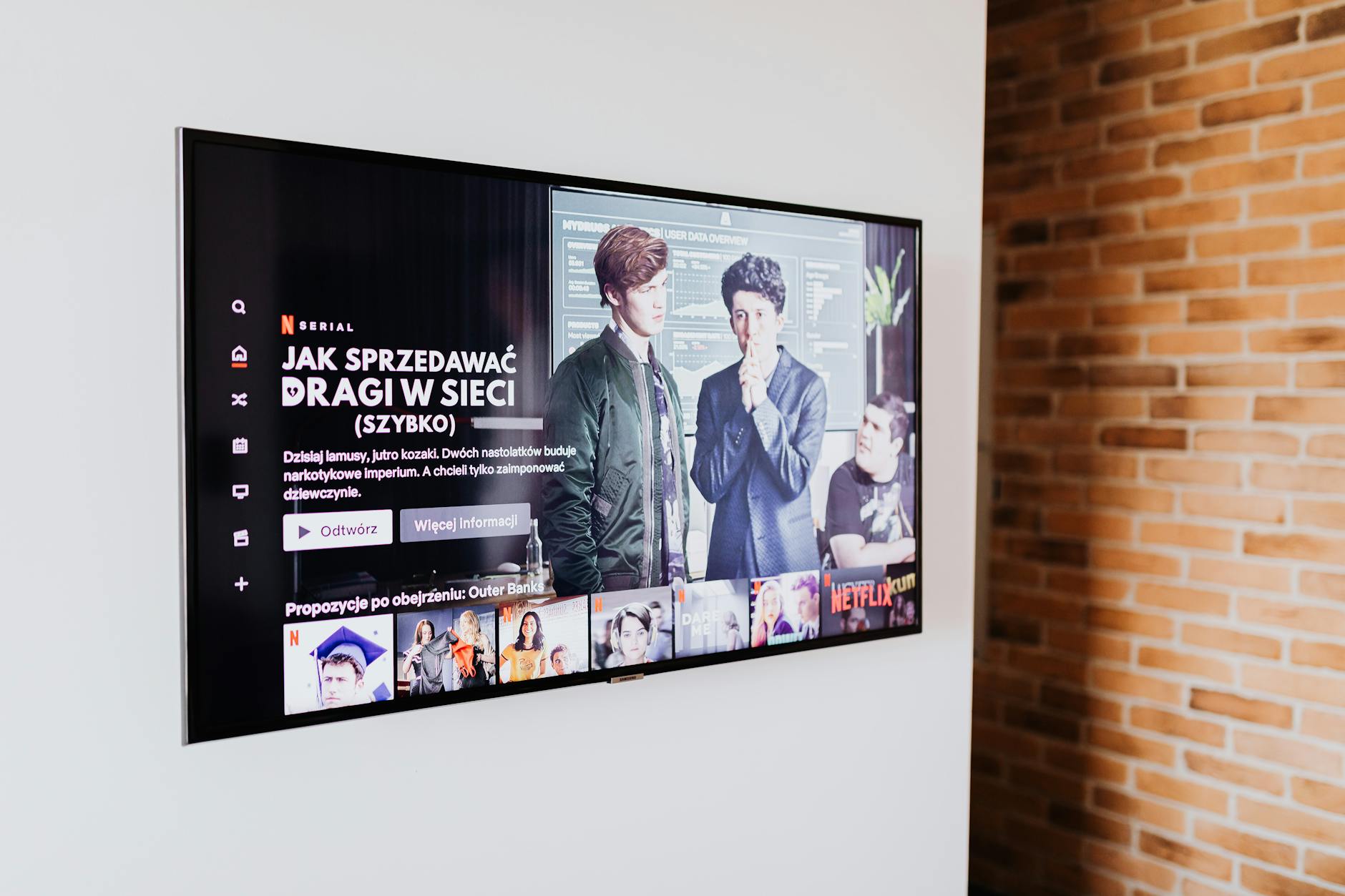
The Ultimate Streaming Guide for USA Cord Cutters (2026)
The complete streaming guide USA 2026 for cord cutters: compare IPTV, OTT, and free streaming options plus a savings calculator to cut your cable bill.
Smart IPTV: The Future of Home Entertainment in 2026
Smart IPTV home entertainment is redefining TV in 2026 — AI recommendations, voice control, smart TV integration, and IoT ecosystems creating the living room of the future.
IPTV USA Explained: The Ultimate Beginner's Guide
IPTV USA explained for beginners: learn what you need, how to choose a provider, and how to set up IPTV from scratch in this step-by-step beginner guide.